

Photoshop Class - Retouching
Photoshop Retouching
Photoshop Class for Retouching
This one-day Photoshop retouching class is recommended for all Photoshop users who need to retouch and refine images. This is one of our specialized Photoshop classes and was developed to address the retouching needs of our high-end fashion, jewelry, and editorial clients. In this Photoshop retouching course you will learn advanced masking techniques, how to accurately adjust skin tones, discretely retouch images without damaging them, build composites from multiple images, and apply special effects.
This course has been updated for the most current version of Photoshop, and is available as a regularly scheduled course at AGI’s classroom locations, or as a private or custom Photoshop course at your location or online.
This Photoshop class includes a copy of the Advanced Photoshop Digital Classroom book, written by our team of expert instructors.
Ways to attend this Photoshop Course
- Live Online classes from your office or home as a regularly scheduled small group class.
- Live, in-person regularly scheduled Photoshop classes in Boston or Philadelphia with a live instructor in the same classroom.
- Private training customized to your specific needs delivered in-person or online. Call 781-376-6044 or complete the Private Photoshop Training form for more information.
- Corporate Photoshop Training for your group or team.
Why Photoshop classes at AGI are the best option for you
- Hands-on learning: Learn Photoshop quickly with our proven teaching methods.
- Exceptional curriculum: AGI has delivered Photoshop training to thousands over 25 years.
- Expert instructors: Our instructors are Photoshop experts and skilled educators.
- Small class sizes: Receive personalized attention with ten or fewer participants per class.
- Repeat for Free: If you need a refresher or miss a class day, retake the class at no cost.
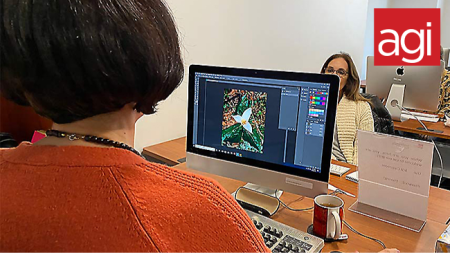
All Photoshop classes include
 Free retake
 Detailed curriculum
 Live instructor
 Flexible rescheduling
 Certificate of Completion
 Small class sizes
 Course recording
Reviews of our Photoshop Class - Retouching

Photoshop Class - Retouching - Introduction rating: 5 stars from 6 reviewers
"Patti was very knowledgeable in Photoshop and worked with me addressing issues that I had in my job workflow. Also, she is very friendly and personable. It was a pleasure having her as an instructor." - Dar B.
See all reviews for Photoshop classesPhotoshop class for retouching: Topics covered
- Creating Perfect Selections
- Color Correction
- Retouching and painting
- Creating Compositions
- Applying Special Effects
- Building the best Photoshop selections
- Understanding Photoshop masks
- Painting masks
- Refining masks
- Creating vector masks
- Saving and Re-using Masks
Please call 800-851-9237 or 781-376-6044 to schedule a course.
Photoshop Class for Retouching: Course Topics
Module 1: Creating great selections using Photoshop
- Building Selections
- Creating masks with selections
- Refining selections
- Sharing masked selections with InDesign and Illustrator
Module 2: Correcting Color in Photoshop
- Understanding color
- Eliminating color casts and adjusting light
- Maximizing image details
- Effectively using adjustment layers
- Working with Camera Raw images
Module 3: Photoshop Retouching and Painting
- Working with Photoshop brushes
- Adjusting brush settings
- Applying color to an image
- Changing blending modes
- Using the Clone Stamp tool
- Using the content-aware scaling and retouching tools
- Maximizing use for the healing tools for wrinkles, acne and other blemishes
- How to discreetly morph shapes
- Using vector and pixel adjustment layers to quickly change color
- Matching colors
Module 4: Creating Photoshop Compositions
- Working effectively with Photoshop Layer basics
- Layer masks
- Grouping and masking layers
- Being smart about Smart Objects
Module 5: Creating Photoshop Special Effects
- Adding Layer Style effects
- Using lighting effects
- Creating a Depth of Field effect
Photoshop course instructors
Learn Photoshop from expert instructors who authored Photoshop Digital Classroom, Photoshop Classroom in a Book, and Creative Cloud for Dummies. Benefit from skilled teachers with many years of using and teaching Photoshop who help you learn quickly and easily.

Grace
MS, Information Design
BA, Digital Communications
Adjunct Professor, St. Olaf
Jennifer S.
MS, Human Factors Information Design
BA, Commercial Art
UXQB Certfied
Adjunct Professor, Boston University
Greg
BA, Advertising Design
Adobe Certified Instructor
Author, multiple Adobe Creative Cloud books
Patti
BA
BFA
Adjunct Professor
Custom and private Photoshop classes
This Photoshop course is available as a private class. Curriculum can be customized for your specific needs. Photoshop classes can be delivered at your location, online, or in our classrooms. For more information, call 781-376-6044 to speak with a training consultant or contact us.
Prerequisites for the Photoshop Course for retouching
We recommend that you have the Adobe Photoshop application before starting the class. You can purchase the software or obtain a trial version from the Adobe website. Participants should understand all basic Photoshop functions covered in our introductory Photoshop course before attending this class.
Course Materials for the Photoshop Class for retouching
Participants in the Photoshop class for retouching will receive comprehensive curriculum from the Adobe Certified Experts at AGI. Our instructors have created many official Photoshop training books for Adobe Systems, along with curriculum used in many schools. Our best-selling Photoshop course books are widely used around the world to teach advanced Photoshop skills, and you learn from those involved with writing and editing the books when you take a Photoshop class at American Graphics Institute.